A package can pass APT’s hash check and still be replaced before installation. Debian’s security tracker describes CVE-2026-109518 as an on-path attack against APT’s redirect and retry handling that can install attacker-controlled code as root. Debian and Ubuntu issued fixes on November 4. The clients to inspect first are Debian and Ubuntu build runners, container builds, and workstations that install packages through HTTP mirrors or proxies.
Canonical’s Ubuntu notice puts the impact plainly: “APT could be made to install unverified packages and run programs as an administrator.” An attacker needs to manipulate the package responses in transit, including through a malicious mirror or proxy. APT also has to retry a download with Acquire::Retries set above zero. A routine package installation then supplies the trigger. StepSecurity says the Debian and Ubuntu advisories it reviewed on November 5 reported no exploitation in the wild.
The file changes after verification
APT checks signed repository metadata and compares downloaded package hashes with the expected values. In this case the hash check can succeed on one file while a subsequent retry changes the hard-linked file APT hands to the installer. Canonical credits Max Justicz with finding the hard-link handling flaw. The CVE record classifies it as both a UNIX hard-link issue and a time-of-check/time-of-use race.
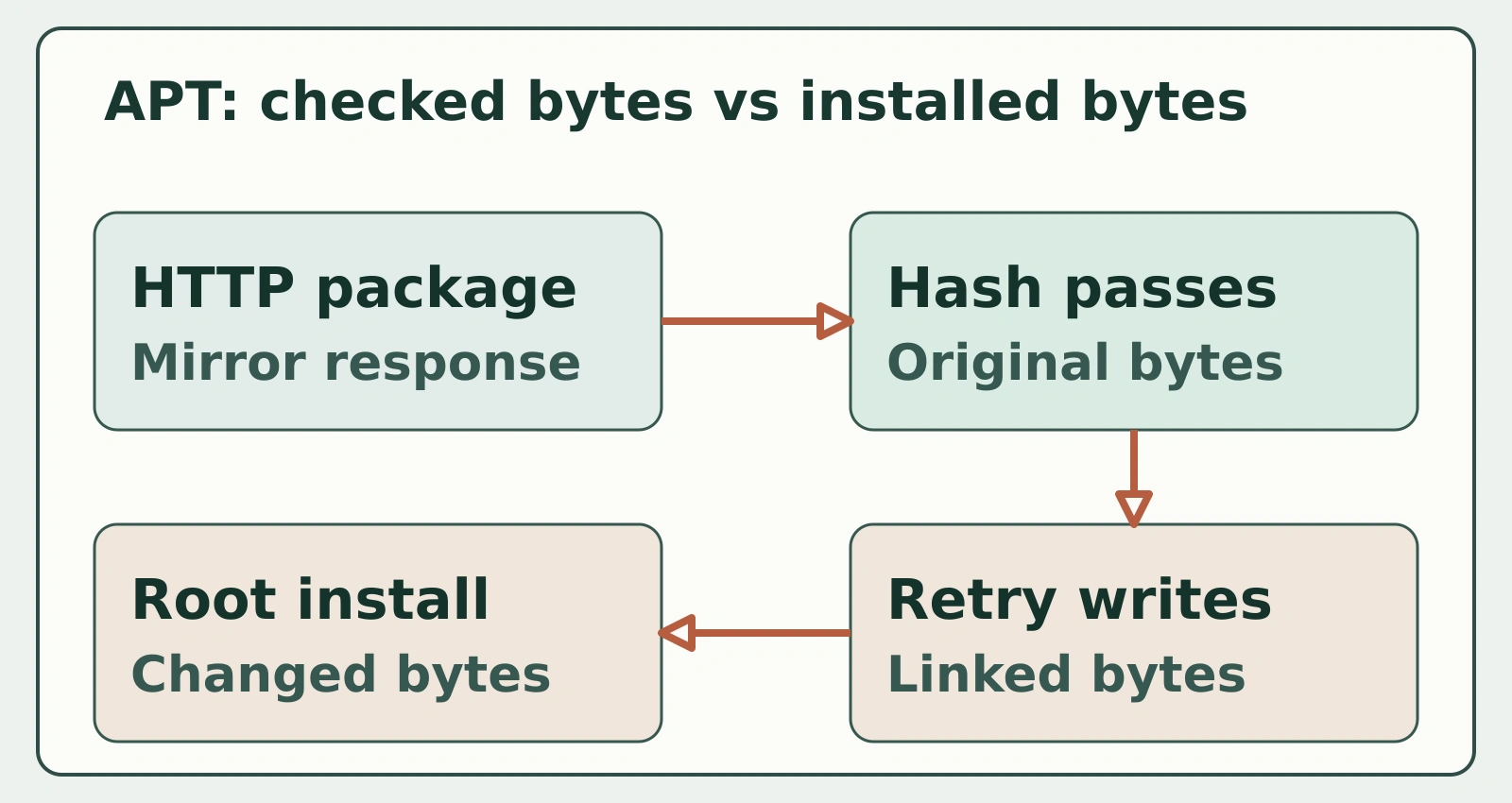
Figure details
The upper path shows APT verifying the package hash and then a redirected retry changing the linked file. The lower path shows the changed package file reaching the root-privileged installer. The link between a passed hash check and the later file read is the vulnerable point.
StepSecurity’s analysis explains the consequence for a CI job: package maintainer scripts run under dpkg with root privileges. That can put job source, GITHUB_TOKEN, and credentials available to the runner within reach. A Docker build can carry the result into a shipped image. The vulnerability is in the APT client; changing a mirror or proxy alone leaves clients running the affected code.
Check retry settings on each APT client
The Ubuntu CVE record says Acquire::Retries=3 became the default with Debian 12 and Ubuntu 22.04. Earlier releases use zero by default, but an override in an APT configuration file, CI script, or Dockerfile can make them exposed. An on-path attacker still needs to control package responses. Use HTTP mirror traffic to find clients whose installed APT version and retry setting need checking.
In the actual runner job, build stage, or workstation, record the installed APT version with dpkg-query -W -f='${Version}\n' apt and inspect overrides using apt-config dump | grep -i Acquire::Retries. If the dump has no retry entry, use the distribution release default to assess exposure. Check the installed APT version inside the image that runs the package installation. For runners behind a package cache, look at the runner-to-cache connection as well as the cache’s upstream configuration.
Look at installs and child processes
For CI, correlate outbound package-mirror HTTP traffic with the workflow step that invokes APT. StepSecurity recommends examining dpkg maintainer-script children, including postinst and preinst, for unexpected network tools such as curl or wget, shells such as bash, and base64 decoding. Compare those process events with new outbound destinations and the packages installed in the same step. Legitimate packages can spawn some of those processes; investigate the combination and the package provenance rather than treating a single child process as proof of a swap.
Revisit jobs that installed packages through affected clients while a mirror or proxy path could be manipulated. A successful patch changes future installs; it cannot attest to the integrity of packages installed earlier. Preserve job logs, network and process events, and the resulting image digest when investigating a suspicious run.
Upgrade the client before rebuilding
Use the distribution’s fixed APT package, with retries disabled on the upgrade command itself. An existing vulnerable client performs that upgrade, so putting the setting only in a later job step misses the first install. On a Debian or Ubuntu host with the appropriate security repository configured, run sudo apt-get -o Acquire::Retries=0 update, then sudo apt-get -o Acquire::Retries=0 install --only-upgrade apt. A failed download will fail the command rather than retry; resolve the mirror problem and rerun safely.
| Release | First fixed apt version |
|---|---|
| Debian 12 | 2.6.2 |
| Debian 13 | 3.0.4 |
| Ubuntu 22.04 LTS | 2.4.15ubuntu0.1 |
| Ubuntu 24.04 LTS | 2.8.4ubuntu0.1 |
| Ubuntu 26.04 LTS | 3.2.1ubuntu0.1 |
| Ubuntu 26.10 | 3.3.3ubuntu0.1 |
Debian’s tracker supplies the Debian thresholds; Canonical’s notice supplies the Ubuntu thresholds. Canonical also lists 2.0.12+esm1 for Ubuntu 20.04 through Ubuntu Pro. Check that entitlement and the actual installed package before choosing the upgrade path on older supported releases. HTTPS reduces exposure to an attacker manipulating the network path, but clients that trust a malicious mirror or TLS-terminating proxy still need the APT fix.
Make rebuilt images carry the patch
Update the runner image and container base image that actually execute APT, then rebuild and redeploy the ephemeral runners and derived application images. For a still-vulnerable base image, place the retry-off setting before the first package installation and upgrade APT as part of that build. Check the installed version inside the rebuilt image and in a fresh CI job with dpkg-query -W -f='${Version}\n' apt; compare it with the fixed version for that release. Also read back Acquire::Retries overrides to confirm the temporary safeguard remains in place wherever a vulnerable client must still install packages.
The version read from a running job is the useful result here. A new runner booted from an old image still uses that image’s vulnerable APT package; rebuild the image and verify the version in a fresh job.