A fake Microsoft 365 service-health email tells its recipient that four messages were held during an Exchange Online outage and will disappear in 24 hours. A large “RESTORE MESSAGES” button takes the recipient toward a domain outside Microsoft. Microsoft Threat Intelligence observed a coordinated, high-volume campaign on November 13 targeting organizations across multiple sectors worldwide. Anyone handling Microsoft 365 mail could encounter the lure.
The sender domain and subject vary, but the story inside the message stays familiar: an alleged interruption to business mail and a deadline to recover it. Microsoft writes, “We assess that the activity was likely credential phishing.” That is an assessment of the observed mail and redirects. Investigate users who clicked before assuming an account was exposed; Microsoft’s investigation found no indicators of compromise from this attack in the messages it analyzed.
Four messages and a deadline
One lure referred to a supposed November 12 Exchange Online incident. It named Outlook, Teams, SharePoint and Copilot, and placed a fake email conversation where it appeared hidden from the recipient, an apparent attempt to evade mail filtering. The button read RESTORE MESSAGES; another variant used TAKE ACTION. The sample messages carried links rather than QR codes or malware attachments. Their recipient-specific tracking links routed toward non-Microsoft destinations, including reallifeaccounting[.]com. A message that claims to restore held Microsoft 365 mail through that domain deserves immediate triage.
The display names used a three-character, organization-style prefix followed by Outage Notification or Service Health. The subject patterns include Outage – <random token> and Strengthen – Security <random token>. Another combines Restore and 4 messages with a randomized suffix. An external-mail tag may appear before the subject. A fixed subject string alone will miss variants, so pair the lure language with sender and link evidence.
Sender domains and tracked redirects
Search November 13 onward for the observed sender clusters moments-notice[.]com, planetmaison[.]com, and newbooker[.]com. Microsoft also lists mail-from or bounce subdomains em4493[.]moments-notice[.]com and em[.]newbooker[.]com, plus tracking hosts url[.]newbooker[.]com and url7489[.]newbooker[.]com. Match the specific domain in the appropriate header: the visible From domain and the envelope MAIL FROM domain are distinct fields.
The downstream domains were reallifeaccounting[.]com, outagefixed[.]sbs, and outagerestored[.]sbs. The first appeared with the filename themelist0.html; another destination used the directory /topics_pxyk/ with that filename. Microsoft also observed 162[.]120[.]17[.]69:8080 for individualized tracking resources under /t/v3…/px.png. These are hunt tokens, rather than links to visit.
Some click and open tracking went through u113727626.ct.sendgrid.net, u118254266.ct.sendgrid.net, and u118250677.ct.sendgrid.net. SendGrid is shared mail-delivery infrastructure; match these hosts in the context of this lure instead of blocking the parent service. Microsoft supplies sample Defender XDR hunting queries for message, message-URL, and click telemetry. Set the advanced-hunting time picker for the period under investigation; the supplied queries have no built-in time window.
Delivery and clicks lead to different work
Start with EmailEvents: find the sender domains and outage subject pattern, then retain NetworkMessageId, RecipientEmailAddress, DeliveryAction, and DeliveryLocation. Microsoft’s table reference distinguishes a message’s delivery action from where it landed. Join EmailUrlInfo on NetworkMessageId to inspect embedded links, including the non-Microsoft destinations and campaign tracking hosts. A quarantined message and a delivered message call for different cleanup work.
Then search UrlClickEvents for those URL patterns, recipients, and message IDs. The click-table reference defines ActionType as the Safe Links or tenant-policy allow/block result, IsClickedThrough as whether a user passed a Safe Links warning, and UrlChain as the redirect trail. Use these fields with proxy or browser logs to establish whether a user reached the downstream site. Safe Links click data depends on Defender for Office 365 coverage and supported apps; inspect other web telemetry where that coverage is absent.
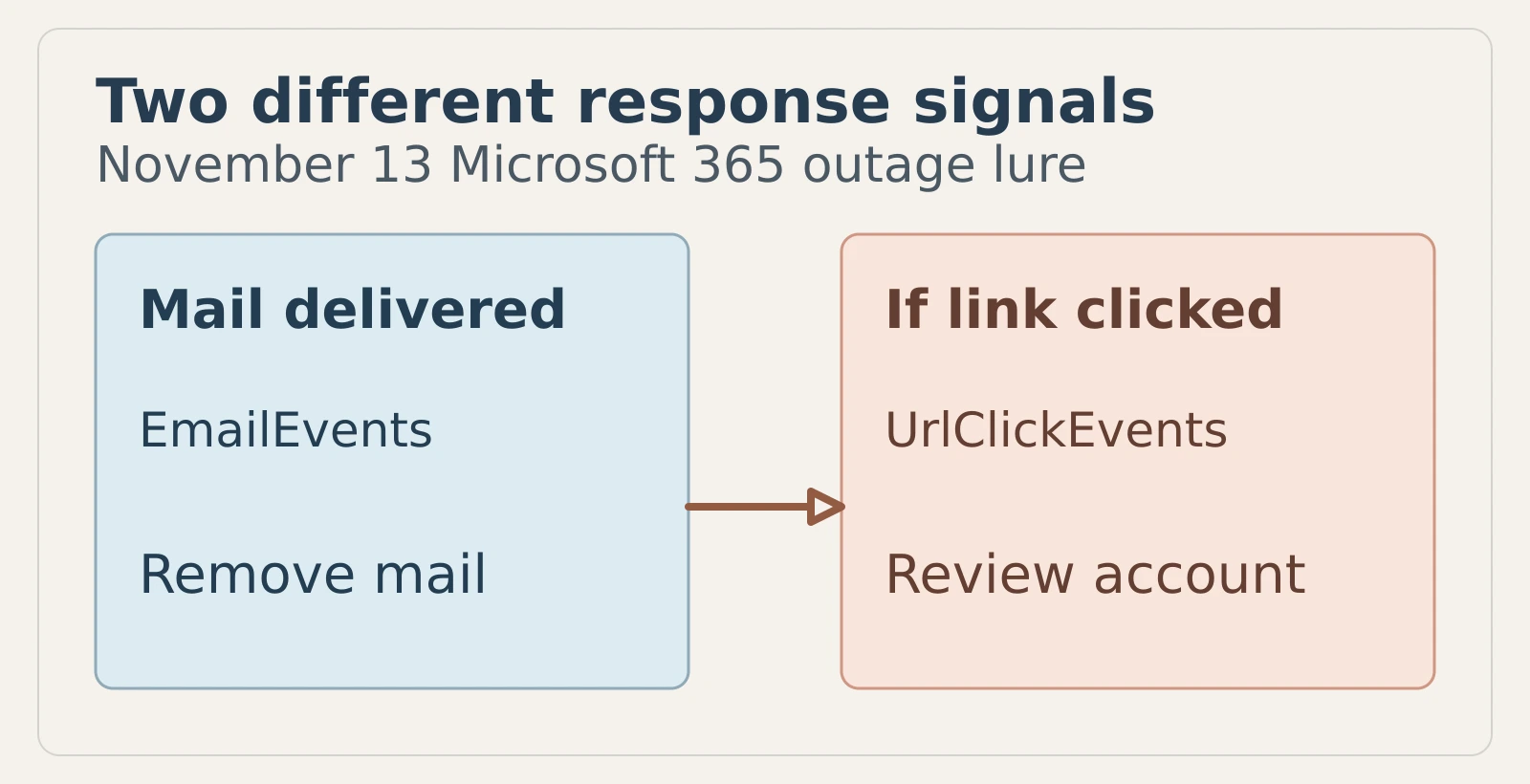
Figure details
The left card pairs an EmailEvents delivered-message signal with removing delivered copies. The right card pairs a UrlClickEvents link-click signal with reviewing the clicked user's account. The arrow leads to the card labeled “If link clicked,” where a recorded click triggers account review. Credential submission calls for a separate sign-in and user investigation.
Remove mail, then test access
Quarantine matching messages and remove any delivered copies under your response process. For people who clicked, inspect UrlChain, browser or proxy evidence, and the account’s sign-in history. If a user may have entered credentials, reset that password, revoke active sessions and refresh tokens, and verify multifactor authentication registrations. Review new OAuth consent, inbox and forwarding rules, delegate permissions, and unusual Exchange Online, SharePoint, OneDrive and Teams access. Those checks test for possible follow-on activity after a click.
Keep Safe Links, Safe Attachments and Zero-hour auto purge enabled where Defender for Office 365 is deployed, and prioritize phishing-resistant sign-in methods such as passkeys or security keys. Tell staff to check genuine service incidents in the Microsoft 365 admin center rather than use a restore link from an unsolicited email. Microsoft says Defender currently blocks the campaign domains and Defender for Office 365 blocks or quarantines the messages; verify the result in your own mail telemetry. A useful closure test is to rerun the sender-and-link search: matched messages should sit in quarantine or have been removed, while every allowed click should have a documented account review and any necessary credential and session reset.